In-person giving, beautifully managed

Make every giving moment feel effortless.

Givanta turns a compatible iPad or iPhone into a beautifully branded giving point, with campaigns, remote device management and clear reporting in one cloud-managed platform.

Funds settle with your payment provider No Givanta percentage of donations Manage giving devices from anywhere

Currently available in Australia with supported Square hardware.

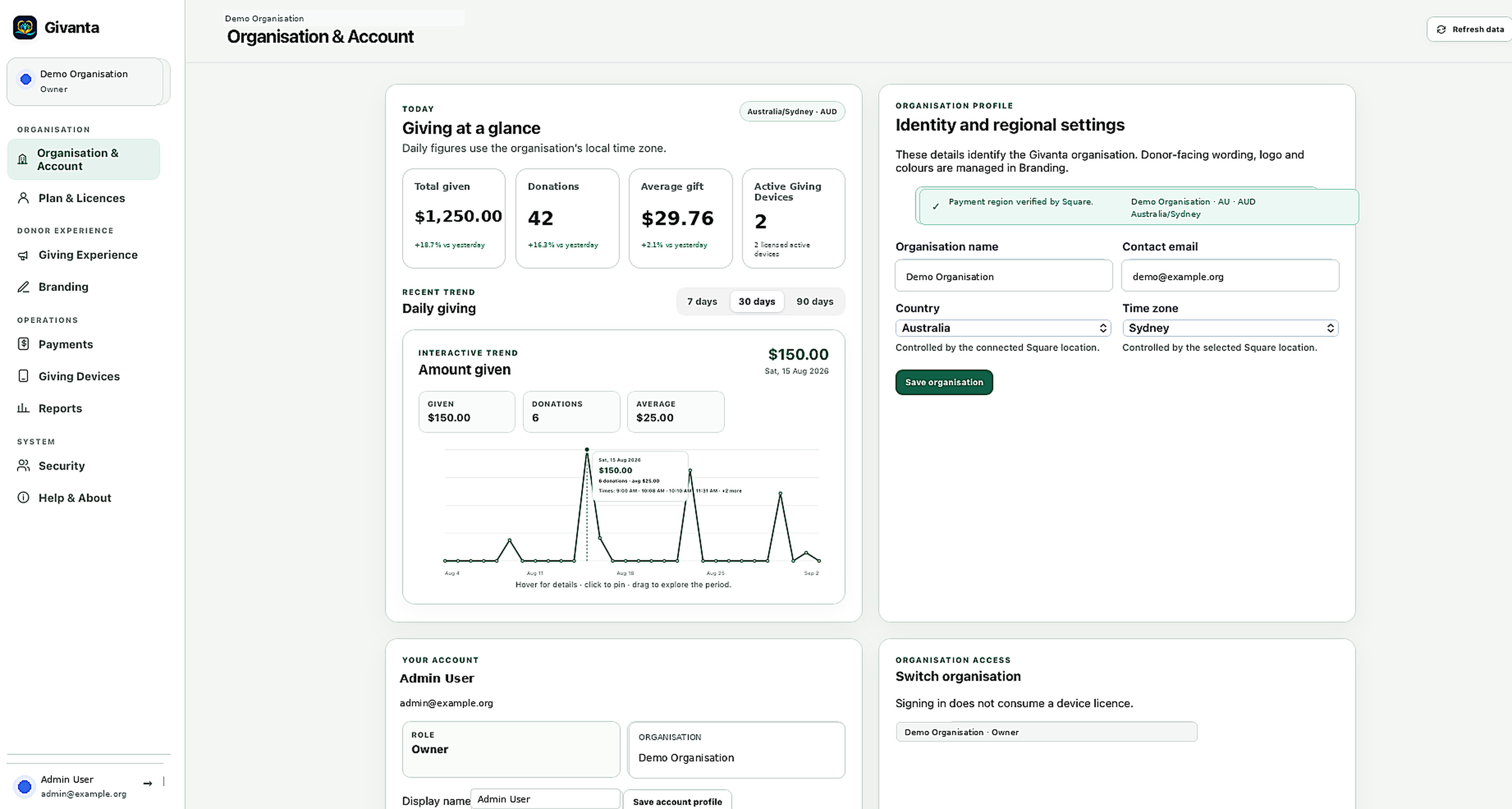
Givanta Cloud Admin Organisation & Account screen showing giving totals and a daily giving trend
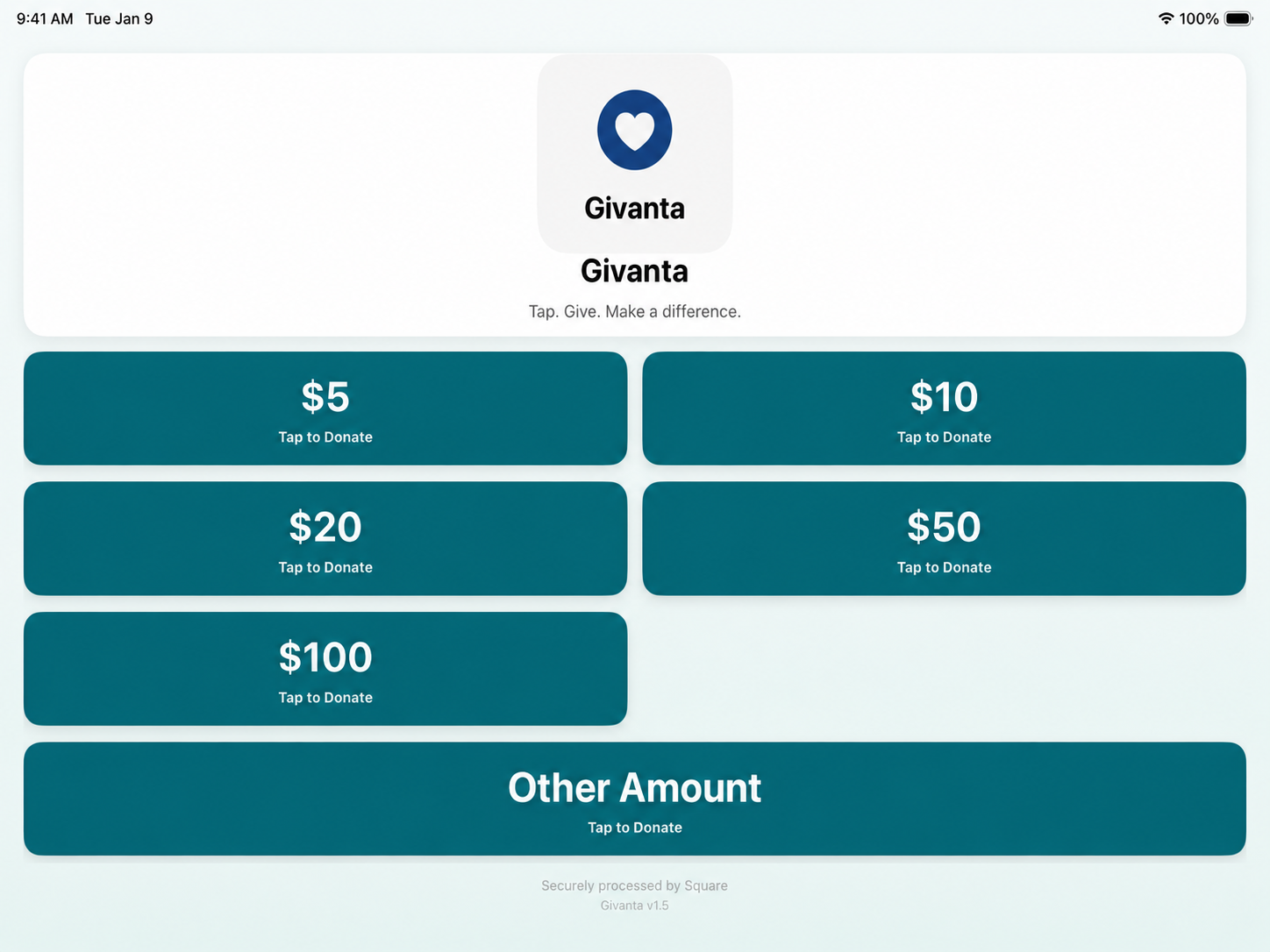
Givanta Giving Device home screen with donation amount buttons from $5 to $100 and an Other Amount option
Churches·Charities·Community organisations·Not-for-profits
Australian technology · Givanta Pty Ltd
One connected platform

One platform for the giving moment—and everything behind it.

Donor experience

A giving experience people understand instantly.

Present campaigns, familiar amounts and Quick Give in a clear branded experience designed to keep the focus on giving—not the technology.

  • Organisation branding, campaigns and familiar amounts on screen
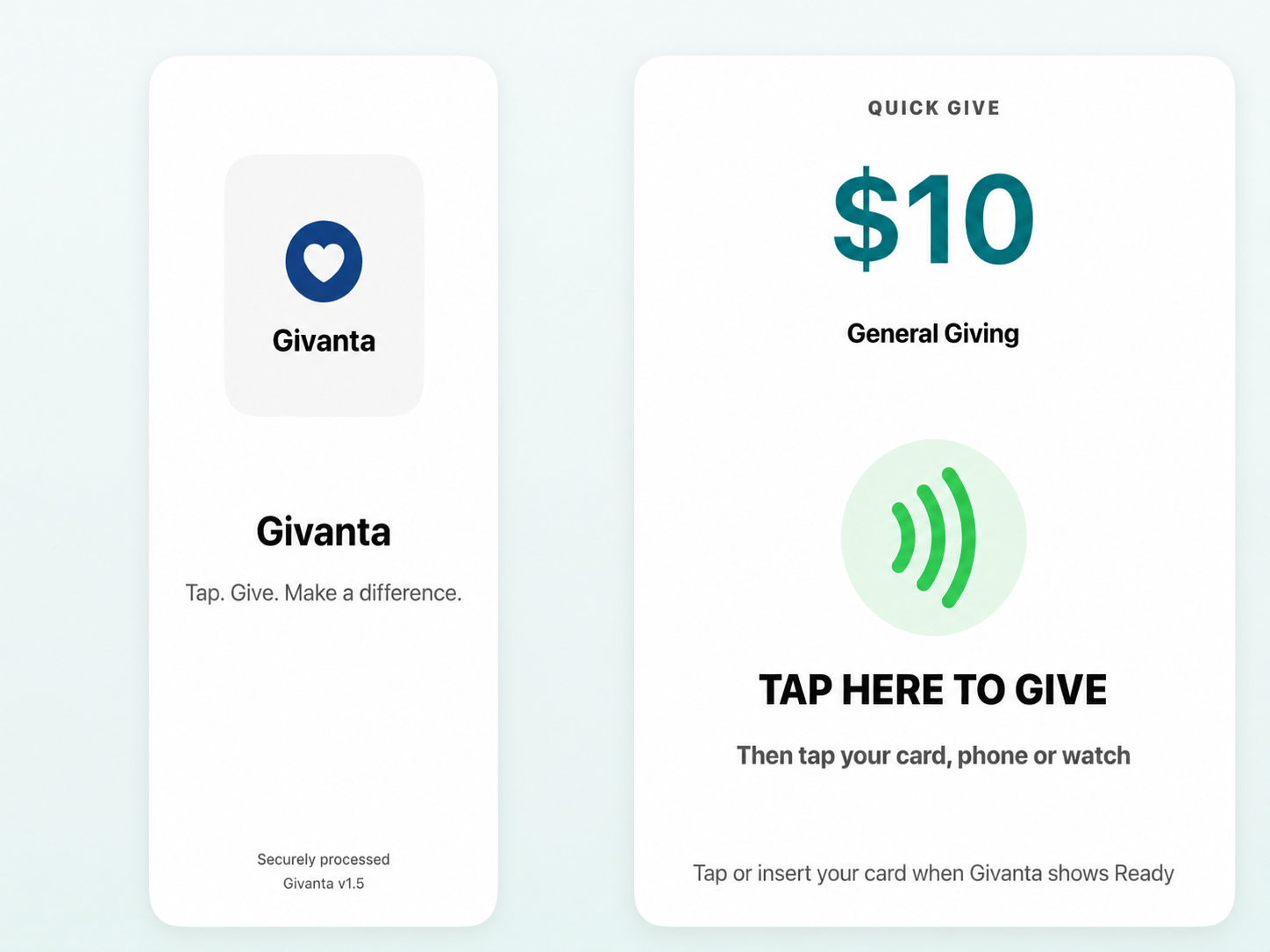
  • Quick Give as one clear, unmistakable one-tap action
  • A polished thank-you experience that keeps the moment warm
Givanta Giving Device home screen showing General Giving amounts and organisation branding
Preset Amount Giving
Givanta Quick Give screen showing a $10 tap-to-give action
Quick Give
Cloud Admin

Control every giving point from the cloud.

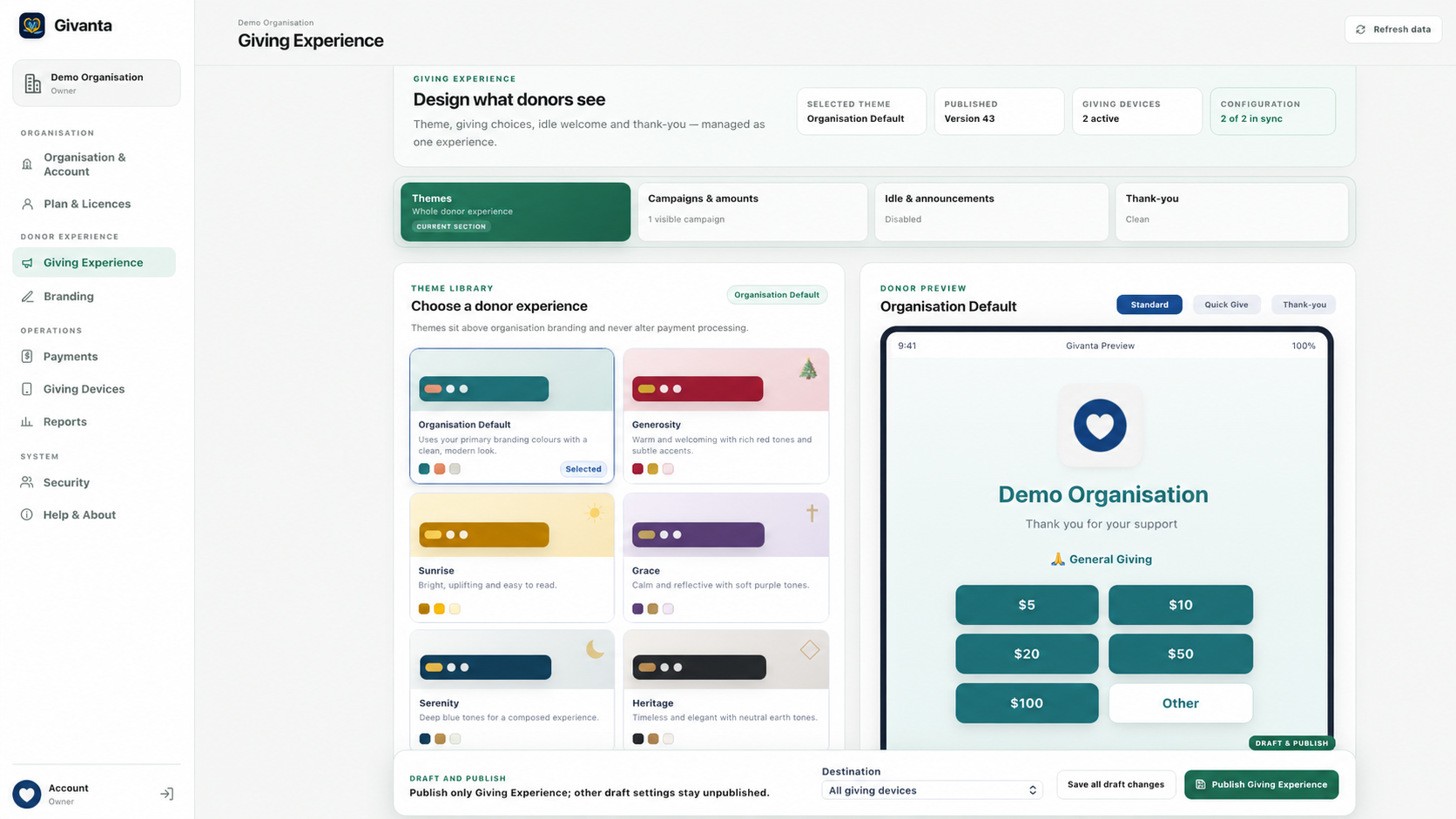
Update campaigns, branding, giving options and device settings from Givanta Cloud Admin, then publish to one device or many.

  • Publish to all devices or selected devices
  • Friendly device names, such as Main Entrance
  • Review licence status and deactivate devices remotely
admin.givanta.com.au
Givanta Cloud Admin Giving Experience screen for configuring themes, campaigns and giving devices
On-device admin

Control on the device, too.

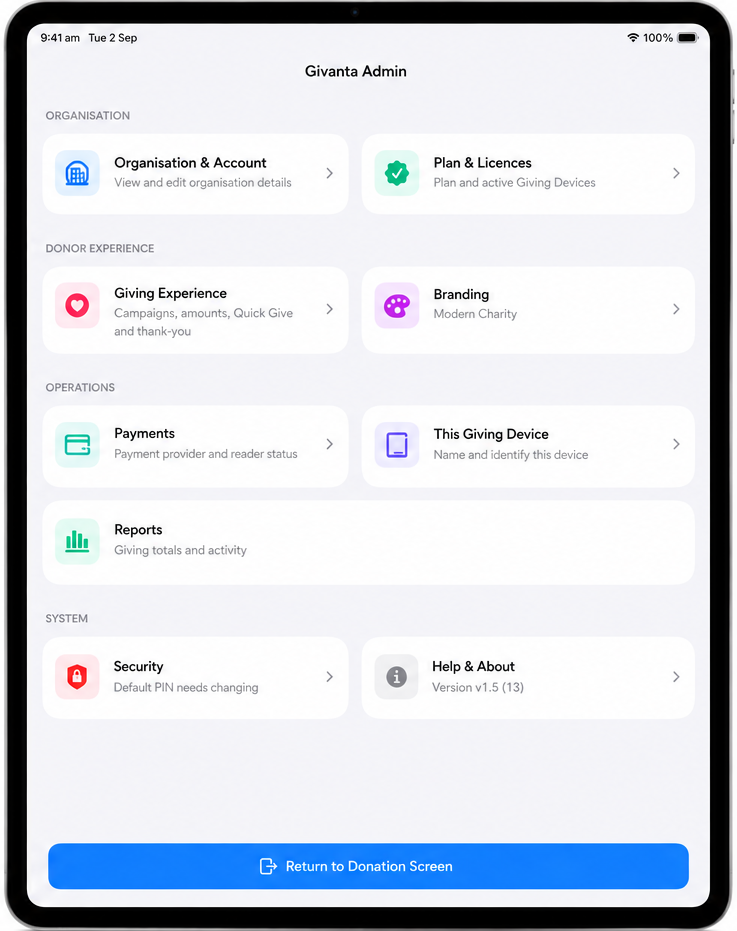
Administrators can securely access key device settings, giving configuration, branding, payments, reporting and device information directly from the Givanta app when local management is needed.

Givanta on-device Admin menu showing Organisation & Account, Plan & Licences, Giving Experience, Branding, Payments, This Giving Device, Reports, Security and Help & About
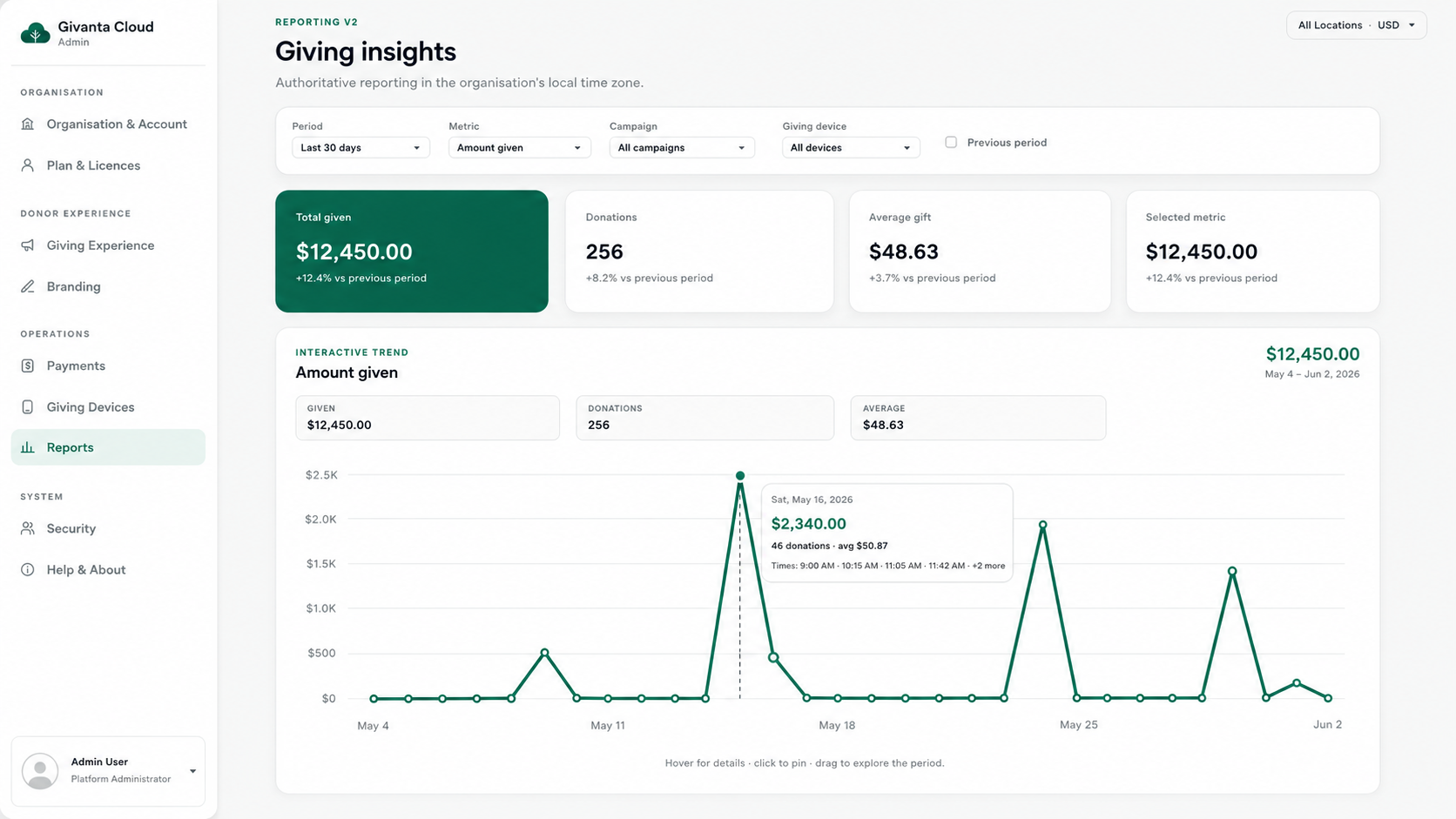
Reporting

Know what's happening across every giving point.

See approved giving by period, campaign and device, monitor trends and export the view you need when it is time to reconcile.

  • 7, 30 and 90-day summaries
  • Campaign and named-device visibility
  • Recent donations and CSV export
admin.givanta.com.au
Givanta Cloud Admin Giving Insights report showing total given, donations, average gift and an interactive giving trend chart
Focused, not overwhelming

Everything you need to run great giving points.

Three capability groups cover the giving experience, device management and the reporting administrators rely on.

Shape the giving experience

Branding, campaigns, amounts, themes and a warm thank-you experience — all controlled from Brand Studio.

  • Organisation logo, colours and tagline
  • Campaigns and giving amounts
  • Seasonal and custom organisation themes

Manage every giving point

Publish configuration to one device or every device, then keep track of what's active.

  • Remote publishing to selected or all devices
  • Named devices with secure technical IDs
  • Licensing, device health and administrator access

Understand giving clearly

Practical visibility without drowning administrators in data.

  • Totals, trends and average gift
  • Campaign and device-level visibility
  • CSV export when it's time to reconcile
Simple onboarding

From setup to giving in three clear steps.

1

Create your organisation

Set up organisation details, administrators and the giving experience.

2

Connect and configure

Choose the appropriate plan, connect a supported payment provider and configure campaigns and branding.

3

Activate your Giving Device

Authorise the device, complete readiness checks and begin accepting donations.

Current Australian payment support: Square. Givanta's platform is designed to support additional payment providers as they are validated for Australian availability.

Hardware options

Choose the setup that fits your space.

Only hardware and payment combinations already validated with Givanta are advertised here.

Currently supported

Square Kiosk

Integrated permanent installation for entrances, foyers, halls and reception areas.

  • Integrated reader and stand
  • Clean permanent presentation
  • Ideal for high-visibility giving points
Discuss Square Kiosk
Currently supported

Square Reader

Flexible supported iPad or iPhone setup for events and smaller sites.

  • Validated with Givanta on compatible iPad and iPhone
  • Flexible placement, easy to move
  • Same Givanta donor experience
Explore the Reader option

Hardware availability and Square account eligibility vary by market. Confirm compatibility before purchasing equipment.

Active-device licensing

Simple pricing by active Giving Device.

An attached or embedded Square reader does not use an additional Givanta licence.

Single Device

A$29.99 / month

1 active Giving Device.

  • 1 licensed giving device
  • Cloud Admin access does not consume a device licence
  • Themes, campaigns and idle announcements
  • Reporting and CSV export
Contact Givanta
Organisation

Custom pricing

For larger and multi-site deployments.

  • Custom device allowance
  • Multi-site deployment options
  • Tailored onboarding and support
  • Custom billing arrangements where available
Contact Givanta

One month free — Eligible new subscribers can try Givanta on one active Giving Device, subject to Apple's eligibility and subscription terms.

Prices are in Australian dollars. Single and Multi subscriptions are billed through Apple, which displays the final price and any applicable tax before purchase. Standard Square processing fees apply.

Built around trust

Built so your organisation stays in control.

Givanta does not hold donated funds

Payments are processed through your connected supported payment provider.

Card details remain with the payment provider

Givanta does not store full card details.

Organisation-isolated access

Devices, administrators and reporting remain scoped to the authenticated organisation.

Licence the Giving Device—not the reader

Attached payment hardware does not consume another Givanta licence.

Frequently asked questions

Clear answers before you begin.

Need help choosing hardware or planning a rollout? Contact Givanta and we'll talk it through.

Ask a question
Who is Givanta for?

Givanta is built for churches, charities and community organisations across Australia that want a beautifully branded, cloud-managed in-person giving experience.

Where do donated funds go?

Donations are processed through your organisation's connected Square account and settle according to that account's payout arrangements. Givanta does not hold donated funds.

Does Givanta charge a percentage of donations?

No. Givanta does not add a per-transaction fee or take a percentage of donations. Standard Square processing fees apply.

What hardware is currently supported?

Square Kiosk for an integrated permanent installation, and a supported standalone Square Reader with a compatible iPad or iPhone.

How many Giving Devices can I run?

Single Device supports 1 active Giving Device, Multi Device supports up to 3, and Organisation plans offer a custom device allowance.

Can administrators manage devices remotely?

Yes. Cloud Admin can publish supported configuration changes to all devices or selected devices, and administrators can review licence status and deactivate devices.

How do I get started?

Request a demo below or email support@givanta.com.au with your organisation name and expected number of giving devices.

Ready to create a better in-person giving experience?

Contact Givanta

Let's plan the right giving setup for your organisation.

Ask about Square Kiosk, Square Reader, subscriptions, Cloud Admin, onboarding or a product demonstration.

Start a conversation

Tell us about your organisation

We'll help you compare hardware, licensing and the best way to begin.

This form prepares an email in your device's email app. No form information is sent to or stored by this website. If no email app opens, email support@givanta.com.au directly.